12 questions to ask before choosing a live captioning and translation solution
Adding live captions or translation to an event is not just a matter of selecting a piece of technology.
It has to work during a live production, fit into the AV workflow and give attendees a practical way to follow the content. That means a specification sheet only tells part of the story.
For AV teams, the better question is: how will this solution perform during the type of event we actually produce?
These 12 questions can help you evaluate a live captioning and translation solution before offering it to your customers.
1. How good is the transcription during a real presentation?
Accuracy is an obvious place to start, but do not evaluate it using isolated words or a carefully prepared demo sentence.
Test the system with the kind of speech you hear during an actual event. Think of normal presentation speed, different speakers, names and specialist terminology.
The important question is whether attendees can comfortably follow what is being said.
2. How quickly do the captions appear?
Live captions have to be live enough to remain connected to what is happening on stage.
If there is too much delay between the speaker and the text, following a presentation or discussion becomes more difficult.
When testing a solution, pay attention to the combination of speed and readability rather than looking at latency as an isolated technical number.
3. How good is the translation?
Good transcription does not automatically mean good translation.
If your customer has an international audience, test the languages they are actually likely to use. Pay attention to whether the meaning of the presentation remains understandable, especially when speakers use longer sentences or industry-specific language.
4. Which languages are available?
The number of supported languages matters, but so does the match with the event.
Start with the audience. Which languages do attendees need? Which language is being spoken on stage? And can different attendees select the language that is relevant to them?
This becomes especially important for international conferences and congresses with visitors from several countries.
Want to test live captions and translation in a realistic setting? [Request a Soundshape demo]
5. How does the solution fit into the existing AV workflow?
A useful captioning solution should work as part of the production rather than create a completely separate workflow.
Look at where the audio comes from, how the system is prepared, who operates or monitors it and how the output reaches the different displays.
For an AV-rental company, this is an important part of determining whether the service can be added professionally to an existing production.
6. Which output options are available?
Not every event needs captions in the same place.
For one production, the main screen may be the priority. For another, attendees may need translations on their own phones. A hybrid event may also require output for an online audience.
Before choosing a solution, establish where the content needs to appear and test those outputs in practice.
7. Can attendees use their own devices?
Personal devices can give attendees more choice over how they follow an event.
When this is relevant to the production, check what the attendee journey looks like. How do people get access? Is it clear what they need to do? And can they quickly start following the content on their phone or tablet?
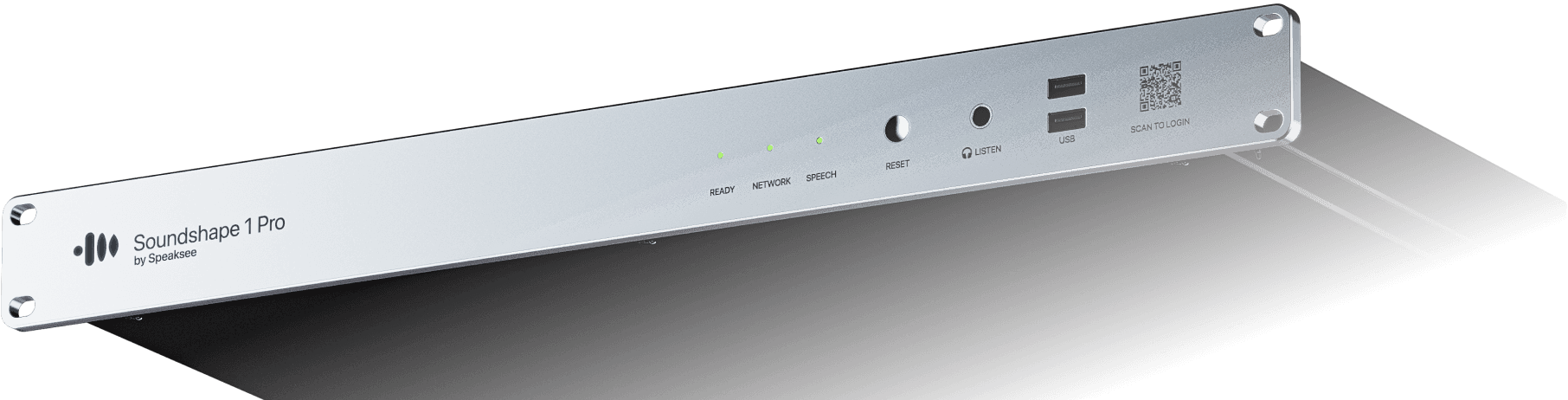
Soundshape, for example, uses QR-code access so attendees can follow available captions or translations on their own device.
8. What preparation is required before the event?
A live solution still needs preparation.
Find out what needs to be configured in advance, which information the AV team needs from the organiser and what should be tested before doors open.
This is also where responsibilities matter. A solution becomes much easier to offer when it is clear who prepares, configures, tests and monitors each part of the setup.
9. How does the solution handle names and specialist terminology?
Conferences, medical congresses, corporate events and government meetings often include terminology that will not appear in everyday conversation.
Company names, speaker names, abbreviations, product names and specialist terms are good examples.
Ask how terminology can be prepared beforehand and include those terms in your test. Soundshape's existing AV materials, for example, specifically include preparing names, company names, product names, abbreviations and jargon before an event.
10. Does it work for livestream and hybrid productions?
If the event has an online audience, captions may need to travel beyond the room.
Check whether the solution supports the outputs required for the livestream or hybrid setup and how those outputs fit into the wider production.
Do not assume that because captions work on one screen, every other output will automatically work in the same way.
11. What support is available when something goes wrong?
Live events do not give you much time to troubleshoot.
Before adding a solution to your service offering, understand what support is available and what your own team is expected to handle. It should also be clear which elements need to be monitored during the event.
For AV teams, this is just as relevant as the feature set itself.
12. How are privacy, security and reliability handled?
Captioning and translation solutions process live spoken content, so privacy and security should be part of the evaluation.
Ask the supplier how data is handled, what requirements apply to the setup and what documentation is available when a customer, IT department or procurement team has questions.
For corporate, government or medical events, these questions can become particularly important early in the sales process.
Don’t test only the datasheet
The most useful evaluation happens in a situation that resembles a real customer production.
Use a presentation that includes:
normal speaking speed, multiple speakers, names and specialist terminology
captions on the type of screen you would use during an event
translation on a personal device
your actual AV workflow and, where relevant, a livestream output
Then look at the full experience.
Can the AV team work with it comfortably? Can attendees follow the content? Does it fit the way you normally prepare and run a production?
That gives you much more useful information than a specification alone. This practical test approach follows the evaluation framework from the Soundshape whitepaper brief.
From testing a solution to offering a service
For an AV-rental company, the goal is not simply to add another device to the equipment list.
Live captions and translation can become an additional service that helps customers make business events, congresses and international productions easier to follow.
That starts with knowing what to look for and testing the solution under realistic conditions.
See how Soundshape performs in a live setup
A Soundshape demo lets you experience the quality, speed, outputs and attendee journey for yourself, while discussing how the solution could fit into your existing AV productions. This matches the role of the demo within the AV-rental campaign: showing quality, speed, ease of integration and use during a real event.