How to Make a Medical Congress More Accessible for Every Participant
Medical congresses are becoming more international, more content-rich, and often more complex in format. Plenary sessions, parallel tracks, breakout rooms, panel discussions, and livestreams frequently run alongside each other. This creates a valuable experience for participants, but it also makes it harder for everyone to follow the content clearly.
In medical congresses, clear communication is essential. Speakers often use specialist terminology, abbreviations, research data, and field-specific language. Participants may come from many different countries and may not all share the same native language. At the same time, accessibility is no longer a nice-to-have. It is becoming an increasingly important part of a professional congress experience.
So the question is not only: how do we organize a strong scientific program?
It is also: how do we make sure every participant can follow the content?
The Challenge of Multi-Room Congresses
For a congress with one room, communication is relatively straightforward. But medical congresses with multiple rooms are more complex.
Think of:
a plenary opening with international speakers;
several breakout rooms running at the same time;
participants moving between sessions;
hybrid participants joining online;
speakers with different accents;
complex medical terminology;
participants who benefit from captions or translation.
Many organizers solve this on a session-by-session basis. Sometimes an interpreter is brought in. Sometimes captions are added to the livestream. Sometimes support is only available in the plenary room. But this can create an uneven experience: some sessions are easy to access, while others are not.
For participants, that does not feel logical. They experience the congress as one complete event.
Accessibility Belongs in the AV Briefing
Live captions and translation are often discussed late in the process. For example, when a participant asks for them, when a speaker turns out to be difficult to understand, or when the livestream setup is already almost finalized.
But these topics should be discussed much earlier.
Just as you include audio, screens, cameras, microphones, and livestreaming in your AV briefing, you can also include live captions and translation as part of the congress setup.
A simple question to your AV partner can make a big difference:
“Can we offer live captions and translation for the plenary room, breakout sessions, and livestream?”
This moves accessibility from a last-minute solution to a standard part of the congress experience.
What Live Captions and Translation Add
Live captions make spoken content readable in real time. Participants can follow what is being said on a screen in the room, in a livestream, or on their own smartphone.
Translation helps international participants follow sessions more easily when the main language is not their native language.
For medical congresses, this can be valuable in several situations:
For international participants
Not every participant can easily follow complex medical presentations in English. Live translation can help them better understand important content.
For deaf and hard-of-hearing participants
Live captions make sessions more accessible for participants who cannot fully rely on spoken audio.
For participants in busy environments
In large rooms, noisy breakout sessions, or hybrid setups, audio is not always perfect. Reading along can help participants stay focused and retain the content.
For complex medical terminology
In highly specialized sessions, text support can help participants follow terminology, names, abbreviations, and research findings more accurately.
For hybrid and online participants
When sessions are streamed, captions and translation can significantly improve the online experience.
Think Beyond the Plenary Room
Many congresses start accessibility efforts in the main room. That makes sense: it usually has the largest audience and hosts the most important keynotes.
But breakouts, parallel sessions, and smaller rooms often contain the deepest scientific content. This is where research is discussed, cases are shared, and expert panels take place.
If only the plenary room is accessible, participants may miss the specialist sessions that are most relevant to them.
That is why it helps to look at accessibility across different layers of the congress:
Plenary room — keynotes, opening sessions, major panel discussions.
Breakout rooms — parallel sessions, scientific tracks, workshops.
Livestreams — online participants and hybrid registration.
On-demand content — rewatching, summarizing, or repurposing session content.
The best approach does not have to mean doing everything everywhere from day one. You can start with one room, one track, or one part of the day, and scale from there.
How to Ask Your AV Partner
Most congress organizers do not need to solve this technically themselves. The most logical step is to include live captions and translation in the briefing to your AV supplier.
You can use the following text:
Example text for your AV briefing
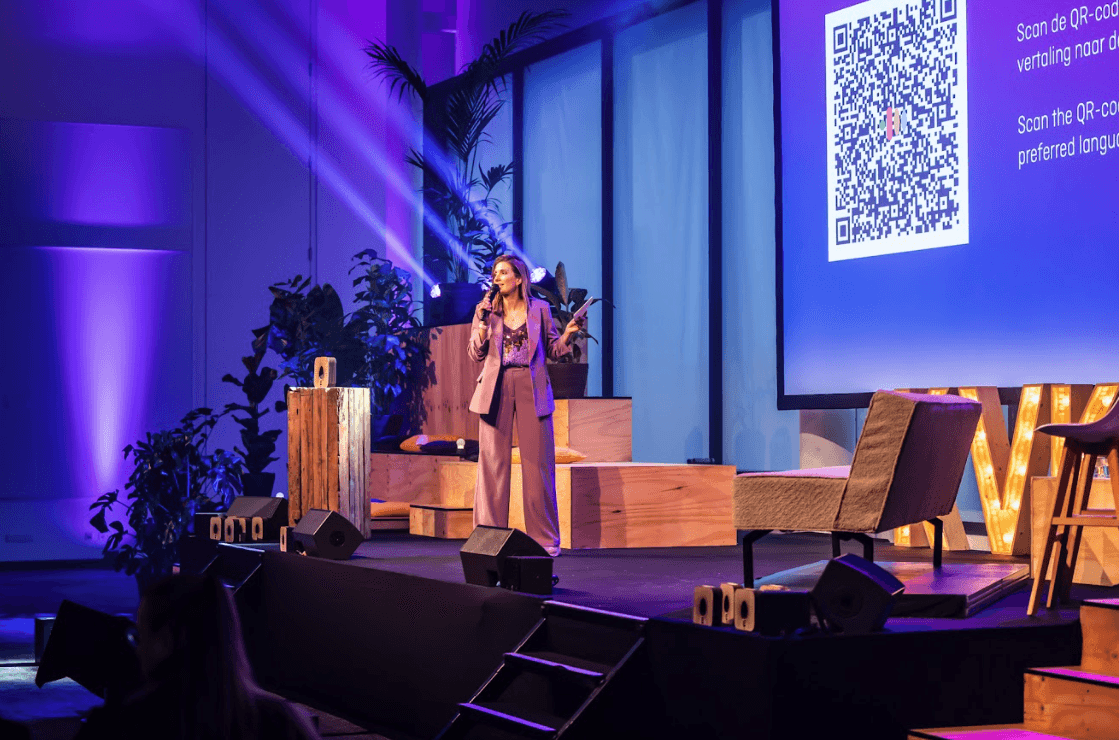
“For this congress, we would like to explore whether live captions and translation can be offered for plenary sessions and/or breakout rooms. The solution should be suitable for use in the room, on participants’ own devices, and potentially within the livestream. Please include a proposed setup that allows participants to access captions and translation easily, for example through a QR code or screen display.”
This gives your AV partner a clear request, without requiring you to make every technical decision yourself.
What to Consider
When discussing live captions and translation with your AV partner, these are useful questions to ask:
Which rooms or sessions should include captions?
Should the text be shown on screens, on smartphones, or in the livestream?
Which languages are relevant for our participants?
Do we need a glossary with medical terms, speaker names, or abbreviations?
How does the solution connect to the existing audio setup?
Who manages the setup during the congress?
Can we test it first with one track or one room?
These questions help make accessibility concrete. Not as an abstract ideal, but as a practical part of production.
An Accessible Congress Does Not Have to Be Complicated
Many organizers want to make their congress more accessible, but worry that it will immediately add complexity: more technology, more suppliers, more coordination, more risk.
It does not have to.
With the right preparation, live captions and translation can become a logical extension of the existing AV setup. The organizer defines the need. The AV partner supports the technical delivery. Participants get a better congress experience.
The most important step is to ask the question early.
Conclusion
Medical congresses are built around knowledge sharing. But knowledge sharing only works when participants can clearly follow the content.
By including live captions and translation in the AV briefing, accessibility and multilingual support become part of the congress design. Not as an add-on at the last moment, but as a deliberate choice for a better participant experience.
Are you organizing a medical congress with multiple rooms, international participants, or hybrid sessions? Ask your AV partner about the possibilities for live captions and translation.
Make every session easier to follow — from plenary room to breakout room.